

Welcome to Nettica!
Join the Cloud! We are a cloud-based VPN service built on WireGuard™ technology, providing fast, secure connections to local and cloud resources. Create your own cloud! Seamlessly switch between local and multi-cloud environments managed with the Nettica Agent. Command and control your networks! Our OAuth2 and role-based access control features ensure a secure environment. Get started today!
Basic

- One Relay/Tunnel Host in any Region
- Share with Others
- Up to 5 Devices
- DNS Services
- Role-Based Access Control
- Nettica FailSafe
- Subnet Routing
- Nettica EZ-Code
From: $5.00View products
Premium

- Up to 5 Relays/Tunnels
- Multi-hop Tunnel Services
- Up to 10 Networks and 5 Users
- Up to 25 Devices
- DNS Services
- NAT Traversal
- UPnP Port Forwarding & IP Sync
- Role-Based Access Control
- Nettica FailSafe
- Subnet Routing
- Nettica EZ-Code
- API access
From: $15.00View products
Professional

- Up to 10 Relays/Tunnels
- Multi-hop Tunnel Services
- Up to 25 Networks and 25 Users
- Up to 100 Devices
- DNS Services
- NAT Traversal
- UPnP Port Forwarding & IP Sync
- Role-Based Access Control
- Nettica FailSafe
- Subnet Routing
- Nettica EZ-Code
- API access
From: $30.00View products
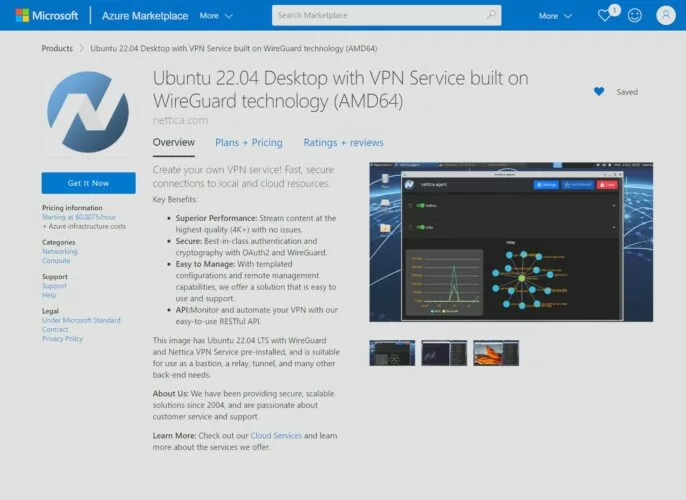
Make Cloud Instances
- Easy billing and lower costs. No subscription required to use Cloud VPS
- Configure the VM without ever opening SSH or RDP ports to the Internet
- Pre-built with the latest Ubuntu server and Nettica Agent
- Includes a desktop if desired
- Auto discovery based on Instance ID (AWS, Azure, Oracle)
- Be up and running in minutes
- Launch a cloud instance in other countries/regions
- Run your own Nettica Server with your own IdP
- Lean more about our Cloud Services

Accounts
- Sign-in with your Google or Microsoft accounts
- Use your own identity provider to authenticate, including any multi-factor authentication associated with your provider
- Invite members in email and authenticate them with OAuth2
- Share entire account or per-network
- Role-based access control
- Enterprise customers can use their own IdP
- Microsoft Entra ID and Google Workspaces integration

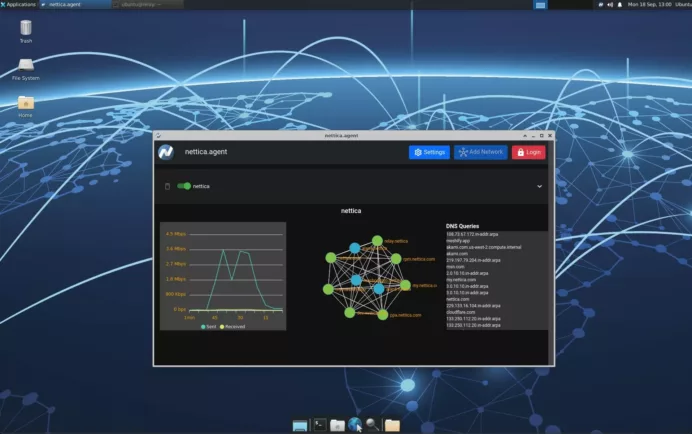
VPN Service
We allow you to create and share your network to securely collaborate with others
- Seamlessly move between home and office (or anywhere else)
- Create a relay to connect everything together, even remote
- Securely share your intellectual property
- Build and connect infrastructure with our API
- Overlay on top of existing networks
- Visualize your VPN network
- Network metrics
- View DNS queries
- Remote Access for employees
- Site to Site VPN for infrastructure
- Multi-hop Tunnel Services for anonymity
- Excellent performance for Gamers
- No lock-in to a specific cloud provider
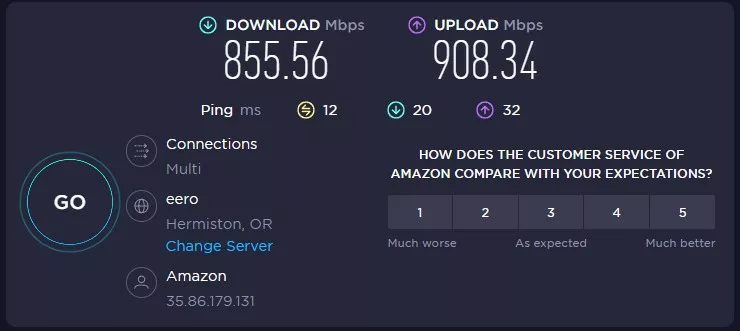
Features
- Unbeatable performance
- Create a tunnel or relay as needed
- EZ-Code: Quickly configure your devices securely
- Subnet Routing: Access entire network through Linux host
- FailSafe: Automatically disengage VPN when necessary
- Automatically reconfigure your VPN with changes to your network
- Invite users to your network in email
- Authenticate them with OAuth2
- Manage hosts remotely with the Nettica Admin
- Monitor and automate with our API
- Integrated DNS
- Keep your IP address in sync, and ports forwarded with UPnP and Sync Endpoint
- NAT Traversal
- Fully configure all aspects of your WireGuard VPN (MTU, etc.)

DNS Services for your VPN
- Hostname entered into control panel resolves across the network
- Devise your own naming system
- See queries being made on network
- Use your own DNS servers
- Use third-party DNS services
- Superior DNS design – No leaks!
Make Cloud Instances
- Easy billing and lower costs. No subscription required to use Cloud VPS
- Configure the VM without ever opening SSH or RDP ports to the Internet
- Pre-built with the latest Ubuntu server and Nettica Agent
- Includes a desktop if desired
- Auto discovery based on Instance ID (AWS, Azure, Oracle)
- Be up and running in minutes
- Launch a cloud instance in other countries/regions
- Run your own Nettica Server with your own IdP
- Lean more about our Cloud Services
Accounts
- Sign-in with your Google or Microsoft accounts
- Use your own identity provider to authenticate, including any multi-factor authentication associated with your provider
- Invite members in email and authenticate them with OAuth2
- Share entire account or per-network
- Role-based access control
- Enterprise customers can use their own IdP
- Microsoft Entra ID and Google Workspaces integration
VPN Service
We allow you to create and share your network to securely collaborate with others
- Seamlessly move between home and office (or anywhere else)
- Create a relay to connect everything together, even remote
- Securely share your intellectual property
- Build and connect infrastructure with our API
- Overlay on top of existing networks
- Visualize your VPN network
- Network metrics
- View DNS queries
- Remote Access for employees
- Site to Site VPN for infrastructure
- Multi-hop Tunnel Services for anonymity
- Excellent performance for Gamers
- No lock-in to a specific cloud provider
Features
- Unbeatable performance
- Create a tunnel or relay as needed
- EZ-Code: Quickly configure your devices securely
- Subnet Routing: Access entire network through Linux host
- FailSafe: Automatically disengage VPN when necessary
- Automatically reconfigure your VPN with changes to your network
- Invite users to your network in email
- Authenticate them with OAuth2
- Manage hosts remotely with the Nettica Admin
- Monitor and automate with our API
- Integrated DNS
- Keep your IP address in sync, and ports forwarded with UPnP and Sync Endpoint
- NAT Traversal
- Fully configure all aspects of your WireGuard VPN (MTU, etc.)
DNS Services for your VPN
- Hostname entered into control panel resolves across the network
- Devise your own naming system
- See queries being made on network
- Use your own DNS servers
- Use third-party DNS services
- Superior DNS design – No leaks!